
Android
ZicNet on Android with Happ
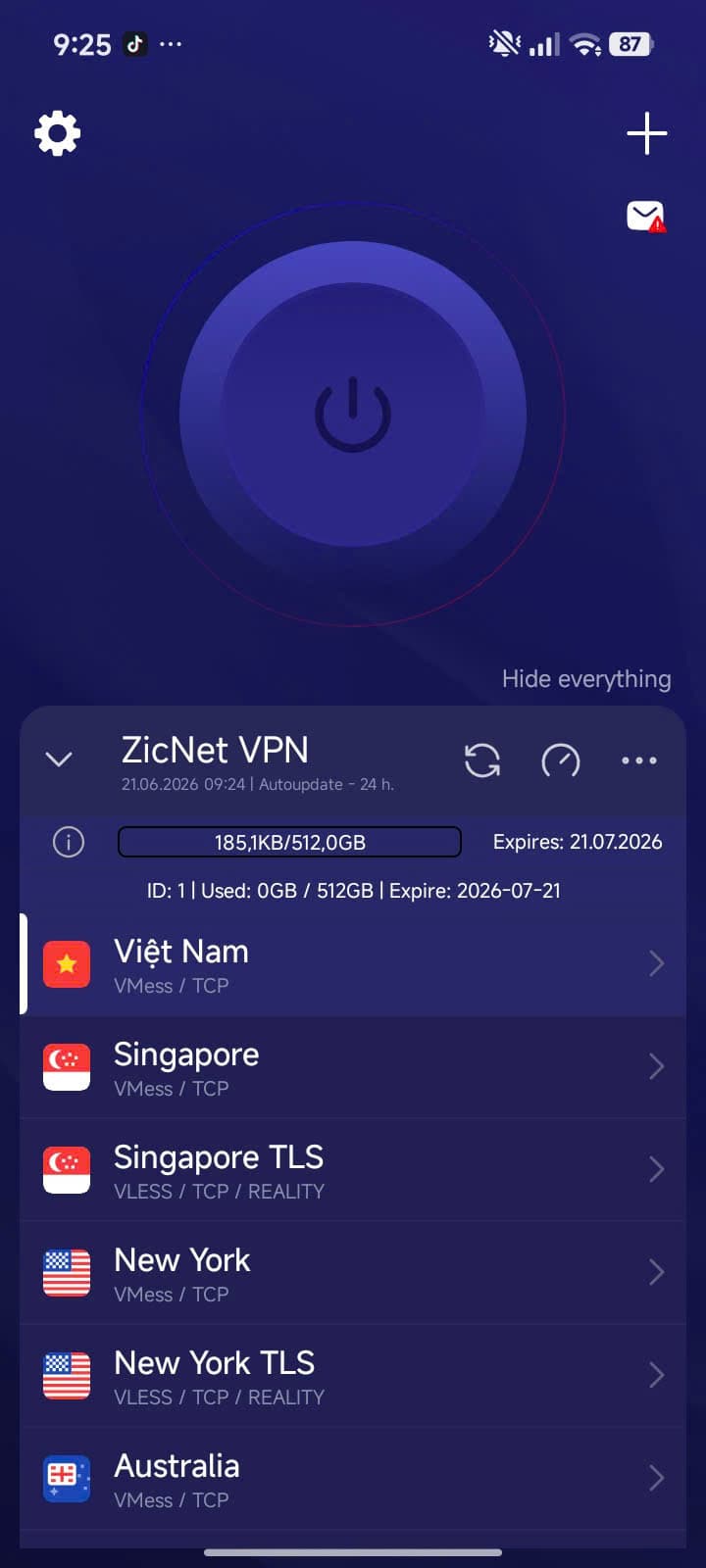
Import your ZicNet subscription link into Happ Android.
The subscription link comes from the ZicNet panel after registration or purchase; open the panel, copy the link, then import it into Happ using the steps below. If the panel does not show the link or QR/clipboard copying breaks it, confirm the correct account, reload the panel, and paste the link into notes to check it before importing. Open panel for the link
Happ is the third-party client app used to import the subscription link and connect. ZicNet is the service that sells plans, manages accounts, and provides the link through the panel.

Happ
Android
Before setup
On Android, the most trustworthy path is installing Happ from Google Play, allowing the VPN permission when Android asks, copying the subscription link from the ZicNet panel, importing it into Happ, and refreshing the server list.
- Make sure your plan is active in the ZicNet panel.
- Confirm Google Play can install Happ on your device.
- Be ready to allow the VPN/network permission when Android asks.
- Copy the subscription link from the correct ZicNet account.
If Android cannot connect
- If you denied VPN/network permission, reopen the system setting for Happ, then import or refresh the subscription again.
- Refresh the subscription in Happ before switching servers.
- Try Singapore or Japan first because they are often closer to Vietnam.
- Send the error screenshot, ISP, and time of issue to support.
Setup guide
Buy or activate a plan in the ZicBoard panel.
Copy the subscription link from your ZicNet account.
Open the client app and add configuration from URL or clipboard.
Update the subscription, choose a suitable server and connect.
If it fails, switch location or send an error screenshot to support.
Frequently asked questions
Do I need manual config?+
No. With ZicNet you only import the subscription link from the panel.
Which server should I choose?+
Start with Singapore or Japan because latency from Vietnam is often good.